
Why Everyone in the House Blames the Wi-Fi (and What’s Really Going On)
It‘s turned into a family tradition. Someone from the other room hollers, “Who’s using all the Wi-Fi?“ The movie is buffering, the video call is frozen, the online game is lagging, and the blame begins.
But is your Wi-Fi truly to blame? Or is it taking the heat for something else?
Before you change plans or unplug every device in the house, it makes sense to understand what is really causing the slow connection.
Sometimes, it is the Wi-Fi. And other times, it is worth investigating better internet providers.
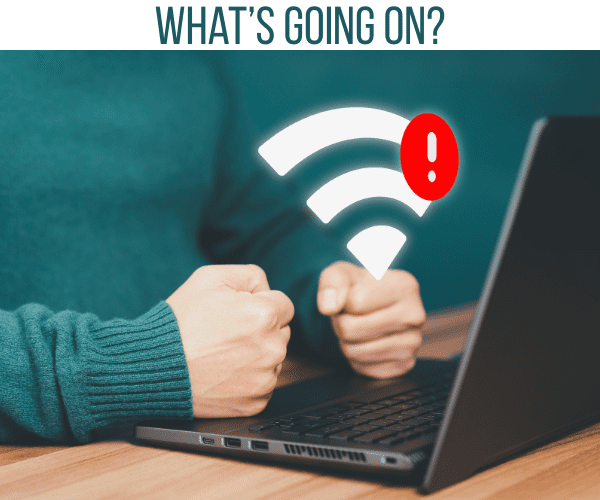
The Real Culprit: Bandwidth Overload
Most households operate on shared bandwidth; think of it as one water pipe that splinters out into multiple taps.
One household member needs to turn on the fire hose, like streaming a 4K movie, and it impacts everyone else‘s water pressure.
That is true of your bandwidth, too. The siphoning of bandwidth happens when more than one person streams, games, or downloads at the same time.
You may not notice this on less-use days, but the noticeable delay happens during peak time–once everyone returns home and begins streaming, gaming, or consuming a huge amount of media.
Quick fixes:
● Pause large downloads or updates during peak use.
● Limit the number of devices that sync over the cloud at the same time.
● Purchase a router with Quality of Service (QoS) settings in order to prioritize certain activities, like video calls or streaming.
If you‘ve completed the above steps and are still running into issues, your plan may simply not be fast enough for your household‘s usage.
Dead Zones and Signal Loss
Sometimes it is not your plan; it can be physics. Wi-Fi signals start to degrade as they pass through walls, floors, and furniture.
If your router is stored in a corner or even hidden behind the TV, it is probably not going far enough.
Rooms that are farthest away from the router, especially if that has been taken up the floors or away from the router, can be described as “dead zones“, or areas of space where the signal is just too weak to be connected.

How to fix it:
Try moving the router to a more central location and, if possible, a higher location. Stay away from anything metal.
There are a lot of metal objects that can cause interference, as well as microwaves.
For large homes, consider adding a Wi-Fi extender or even upgrading to a mesh network that spreads the signal around the house.
By moving your position just a small amount or using a very low-cost extender, you can fix issues that you have been blaming on your provider for a long time.
Outdated Equipment That is Holding You Back
Know that some people will allude to the provider throwing shade when it may actually be their equipment that is the issue.
All equipment related to the internet will begin to age over time.
Routers, modems, and even network cables will not necessarily break but will just become obsolete due to the latest speeds possible on the market.
If it‘s been over three years since you purchased your router, there‘s a good chance it lacks support for newer Wi-Fi standards that enhance speed and stability.
If that‘s the case, the situation is even worse because older devices can create “bottlenecks“ in your connection, which would prohibit you from getting the full speed of your plan, regardless of how fast your Internet plan is.
Pro tip: Always check the make and model of your router. If the router is not Wi-Fi 6 compatible (or at least Wi-Fi 5), it‘s probably time to upgrade. The speed and range difference is often day and night.
Peak Hour Slowdowns Aren’t in Your Head
If you‘re convinced the Internet runs slower at night, you‘re not imagining it.
Unfortunately, between 7 in the evening and 11 at night is prime time for networks to get congested as people in your neighborhood begin using all their devices, streaming, gaming, and doing video calls simultaneously.
So even if your family is not maxing out your connection, your provider‘s local infrastructure is.
Some networks just cannot keep up with demand, especially in big cities.
If you are slowed down at the same time every night, and you have exhausted all possible solutions inside your home, it may be time to visit a provider that is less congested and can support your needs better than you can get from your current plan.
Hidden Background Activity
The sneaky part of this is that while you‘re not online (or furiously yelling at your page to load), your devices are, on your behalf.
Smart TVs, smartphones, and computers can be running background tasks that include file syncing, downloading updates, and backing up your pictures.
These functions can gobble up bandwidth without you knowing it before you come to use the connection for something else.
Here are some recommended solutions:
Schedule updates and backups overnight.
Disconnect any unused devices from the connection (yes, even that silly old tablet you have shoved in that drawer).
Close open apps that stream or refresh automatically.
You would be surprised how much faster your connection feels when you eliminate the “silent“ bandwidth hogs from your connection.
When It’s Not You—It’s Them
If you‘ve optimized everything in your home and the connection still fails, then your problem is likely with your service provider.
Frequent dropouts and outages for extremes of each day or prolonged weeks of slow speeds are either a service provider issue or a big picture problem.
If you find the outages last several weeks or are problematic with little resolution, you will want to document your outages.
You will want to include your connection, network strength, and whether the bandwidth of the Internet service provider is being used.
A focused plan to document times of day where your connectivity lags can help save time while you work with your Internet provider‘s customer service to troubleshoot.
However, if they can’t fix their service issue, you will likely want to switch to a service provider that allows for their use.
A smarter way of troubleshooting Wi-Fi
Don‘t always jump to blaming your Wi-Fi for complete lags and buffering.
The Internet or local connectivity is something much larger than your connection to wireless.
Your hardware, limitations in your plan, and network infrastructure all play a role in your Internet and local network service provider.
Whenever you troubleshoot, check your basic controls like router placement, the number of connected devices, and background usage.
If none of these work for you, then it may be time to upgrade your equipment and/or explore changing your Internet plan.
A stable and consistent Internet connection will allow users to feel things run more smoothly, including video calls and video streaming.
Once you finally fix the Wi-Fi, you may learn to observe something extra while at home, a much quieter lower lower-tension household too.